Software Introduction
GeoVision is a 3D geometric drawing tool designed for mathematics teaching, supporting visualization from basic geometric bodies to complex mathematical formulas. The software provides an intuitive drag-and-drop operation interface, suitable for teachers' teaching demonstrations and students' independent learning. Through real-time 3D preview and precise geometric control, making abstract mathematical concepts intuitive and easy to understand, truly realizing the teaching concept of "3D Geometry, Infinite Possibilities".
Core Feature Characteristics
Rich Geometric Body Library
Provides 15+ types of basic geometric bodies, including points, lines, planes, cubes, spheres, cylinders, cones, etc., meeting the needs of mathematics teaching from primary to high school.
Intuitive Drag-and-Drop Operation
Uses a drag-and-drop operation interface, users only need to drag geometric bodies to the canvas to create, simple and intuitive operation, suitable for users of all ages.
Real-time 3D Preview
All operations have real-time 3D preview effects, supporting multi-angle observation, zooming, and rotating, allowing users to understand geometric structures from various angles.
Precise Magnetic Absorption Function
The magnetic absorption function of points ensures geometric accuracy, supports precise numerical input and positioning, making complex geometric constructions simple and accurate.
Formula Drawing Function
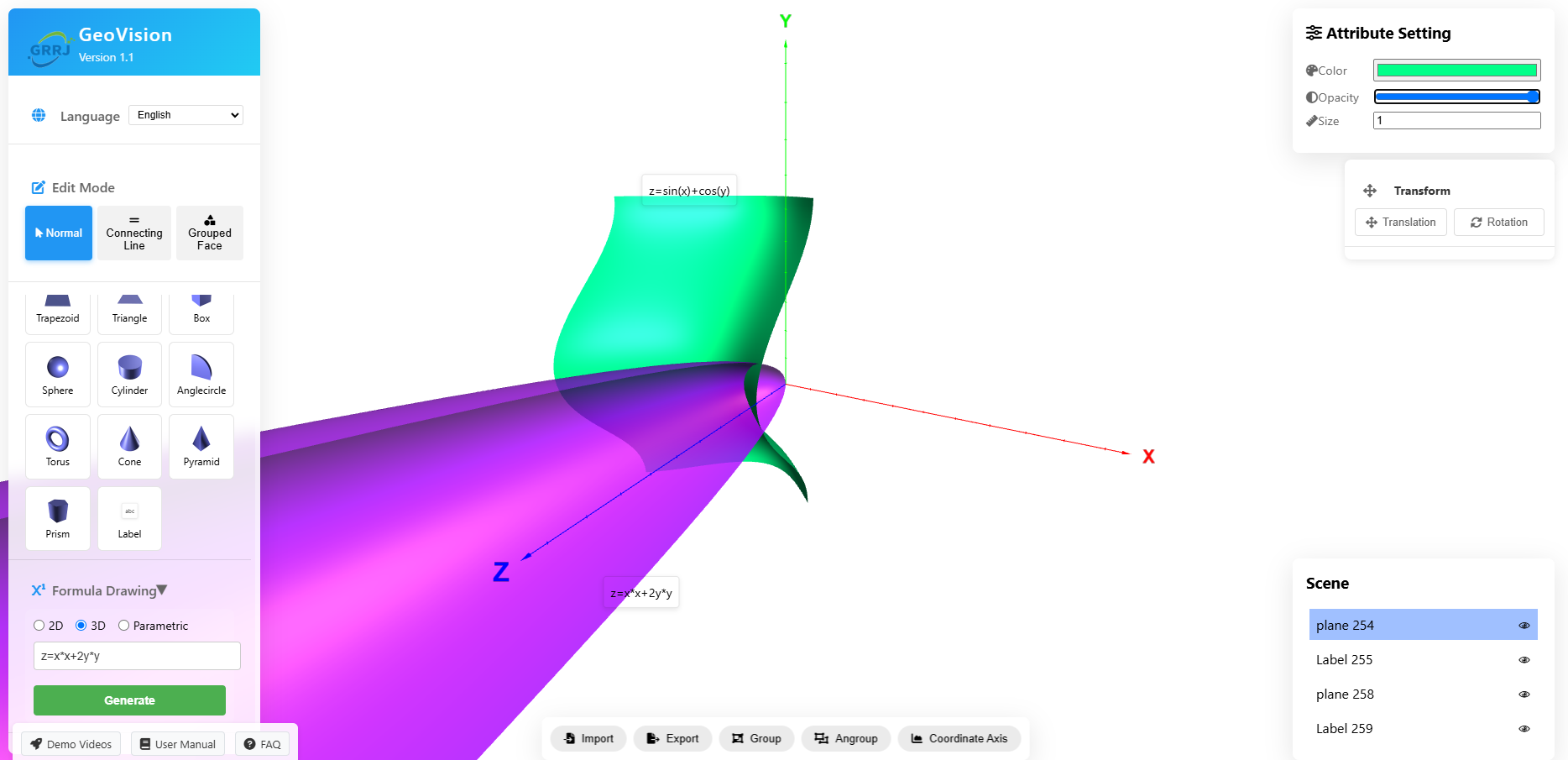
Supports visualization of 2D function images, 3D function images, and parameter equations, making abstract mathematical formulas become intuitive graphics.
File Import and Export
Supports import and export of multiple 3D file formats, can be used with professional 3D software, convenient for saving and sharing teaching resources.
Actual Use Cases
Elementary School Fourth Grade Mathematics - Observation of Objects
Teaching Goal: Through 3D geometric drawing, help students understand the three-dimensional structure of objects, and cultivate spatial thinking ability.
Operation Points:
- Use drag-and-drop method to create basic geometric bodies
- Observe geometric shapes from different angles
- Use combination function to build complex objects
- Add tags to explain each part
Teaching Effect: Students can intuitively understand the six faces of a cube, and grasp the concept of three-dimensional space.
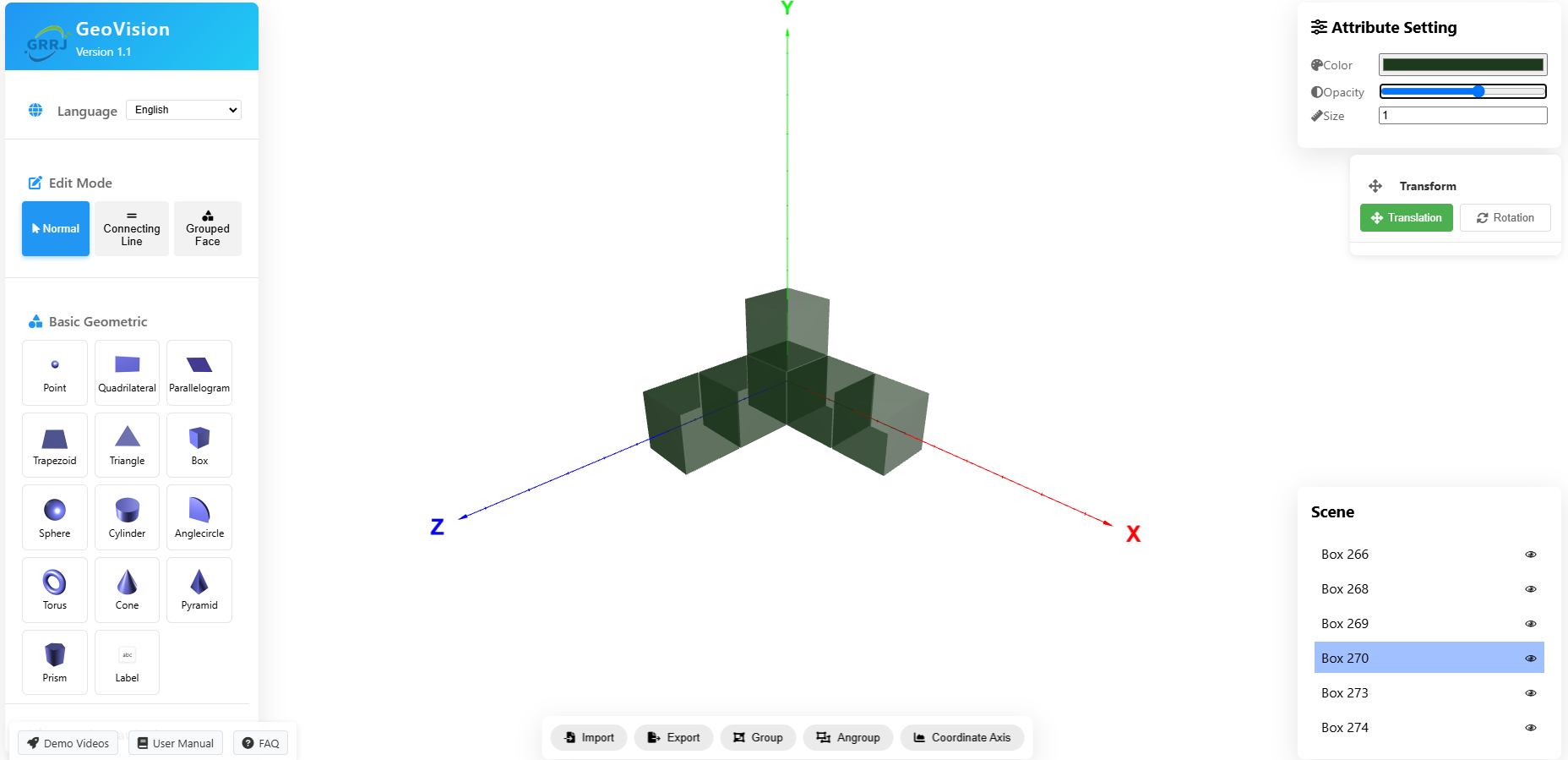
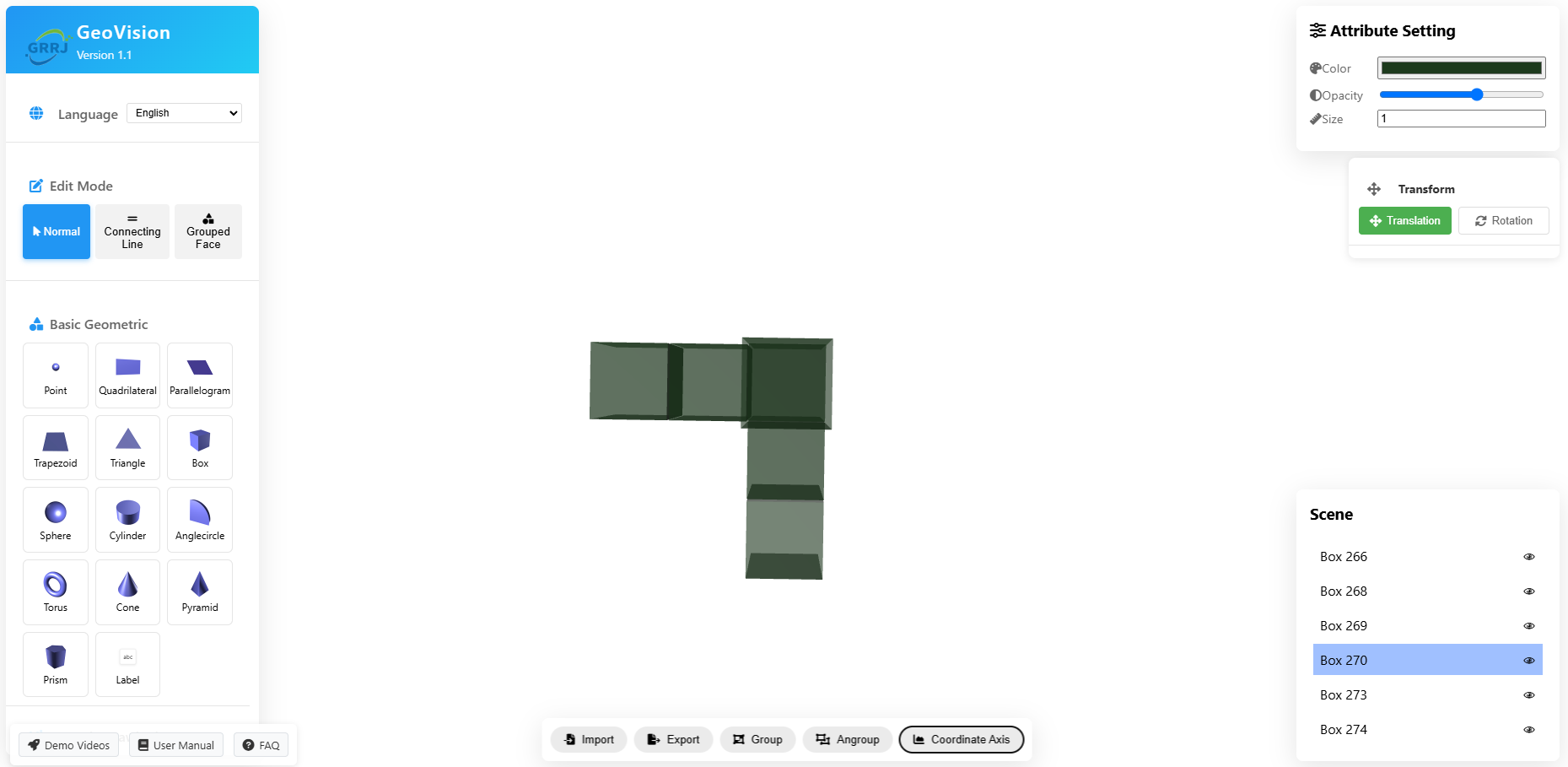
High School Solid Geometry - Three-sided Prism Production
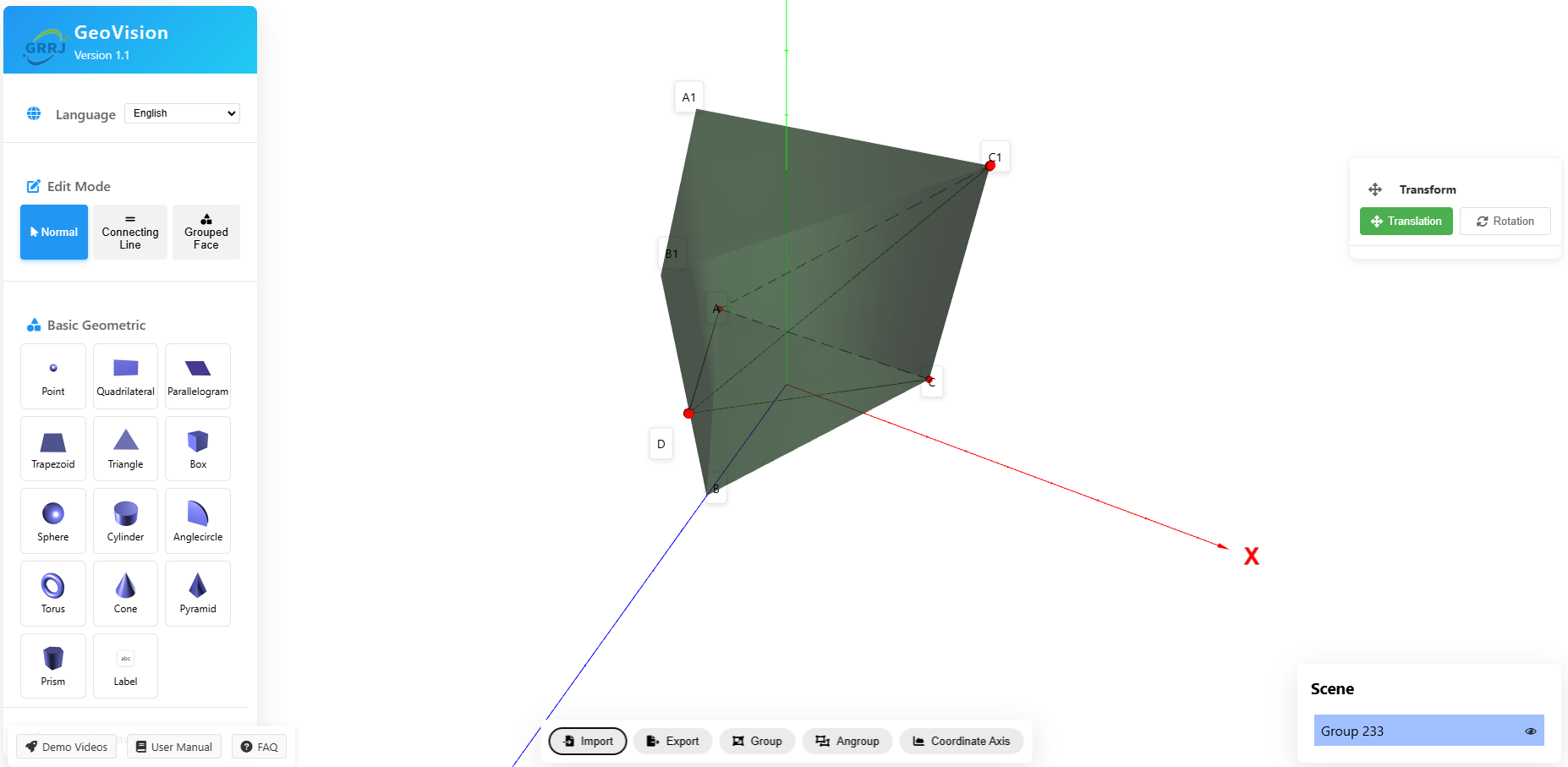
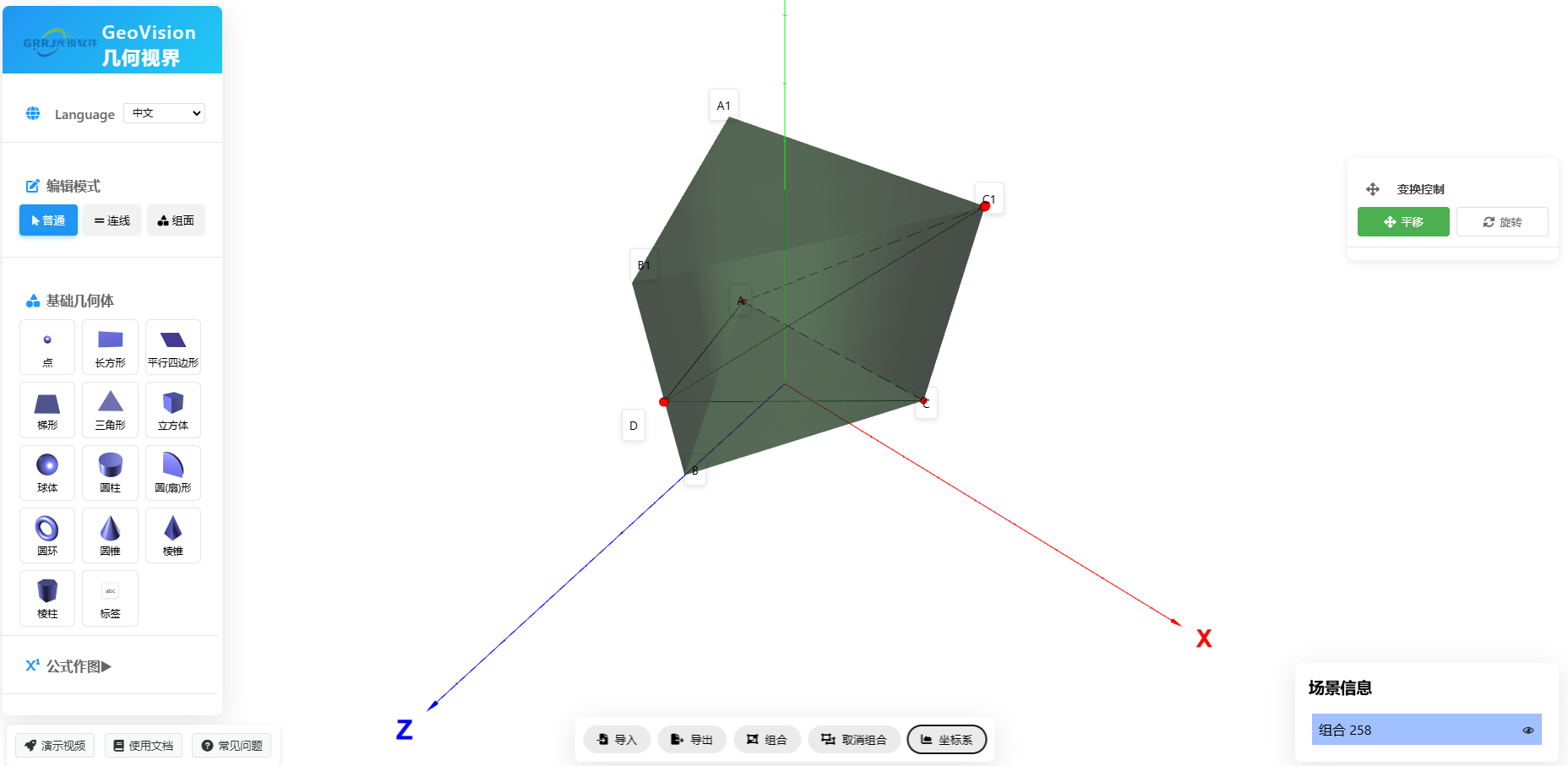
Teaching Goal: Through the production of complex geometric bodies, enhance students' spatial imagination and geometric reasoning ability.
Operation Points:
- Use point-line-plane mode to build basic structure
- Use magnetic absorption function to accurately align vertices
- Set different colors and transparency for different surfaces
- Export model for further analysis
Teaching Effect: Students can understand the structural characteristics of a prism, grasp the construction method of spatial geometry.
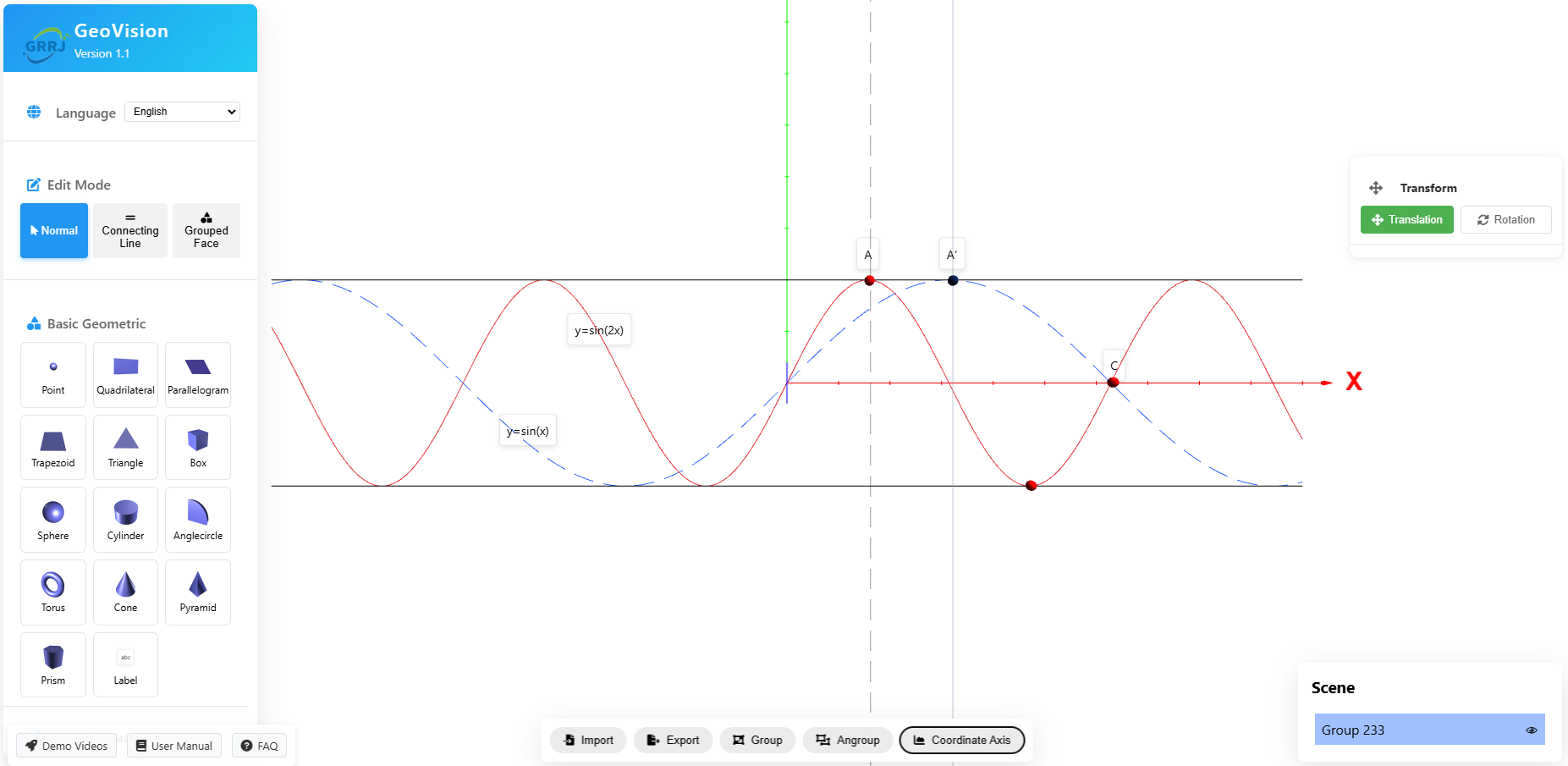
Mathematics Teaching Demonstration - Geometric Formula Drawing: Relationship between y=sin(x) and y=sin(2x)
Teaching Goal: Through 3D visual demonstration of the image relationship between sine functions y=sin(x) and y=sin(2x), help students understand the concepts of function period and frequency.
Operation Points:
- Use formula drawing function to draw y=sin(x) function image
- Draw y=sin(2x) function image in the same coordinate system
- Set different colors to distinguish the two functions
- Add labels to explain period and frequency relationship
Teaching Effect: Students can intuitively understand that the period of y=sin(2x) is half of y=sin(x), and the frequency is twice that of y=sin(x).
Detailed Operation Guide
Basic Operation Process
- Start Software: Open the browser to access GeoVision Geometric Vision, the interface on the left side shows the toolbar
- Select Mode: Select "Normal", "Line", or "Group Surface" mode in the editing mode
- Create Geometric Body: Drag geometric bodies from the toolbar to the center of the canvas
- Adjust Position: Click to select the geometric body, use the mouse to drag and move the position
- Set Attributes: Adjust color, size, transparency, etc. in the right attribute panel
- Combination Operation: Select multiple geometric bodies, use combination/disassociation function
- Viewpoint Control: Use mouse wheel zoom, left-click drag to rotate viewpoint
Formula Drawing Function
GeoVision Geometric Vision supports visualization of various mathematical formulas, making abstract mathematical concepts intuitive.
Supported Geometric Body Types
| Geometric Body Type | Applicable Scenario | Teaching Value |
|---|---|---|
| Point, Line, Plane | Basic Geometric Concepts | Understanding Basic Geometric Elements |
| Cube, Sphere | Primary School Observation of Objects | Cultivating Spatial Thinking Ability |
| Cylinder, Cone | Middle School Solid Geometry | Understanding Volume Formula Derivation |
| Prism, Pyramid | High School Solid Geometry | Grasping Complex Geometric Structures |
| Formula Image | Function Teaching | Visualizing Mathematical Functions |
Product Function Video Demonstration
Through the following videos, learn about the core functions and innovative features of GeoVision Geometric Vision, each video is accompanied by detailed description and subtitle support
🎯 Basic Operation Demonstration
This video takes the teaching content of primary school fourth grade mathematics observation of objects as an example, showing the basic operation and operation process of using this product to draw, including user interface navigation, core task processing, and three-dimensional model perspective visualization effect.
Video Description: Duration 2:05 minutes | Resolution 1080p | Includes Operation Guide
Key Points: Intuitive User Interface • Simple Operation to Complete Model • Real-time Three-dimensional Effect Feedback
✨ Advanced Feature Demonstration
This video takes a high school solid geometry test question as an example, showing the basic operation and operation process of using this product to create slightly complex drawing, including point-line combination, point magnetic absorption auxiliary operation, model import and export. Explore the product's ability to handle complex geometric shapes, including point-line-plane operation, combination and disassociation, model universal processing function.
Video Description: Duration 2:05 minutes | Resolution 1080p | Includes Usage Skills
Key Points: Point Magnetic Absorption • Combination and Disassociation • Model Export Import
Usage Suggestions
Teacher Usage Suggestions
- Preparation: Prepare geometric models needed for teaching in advance
- Class Demonstration: Use projector to display 3D model
- Student Interaction: Let students operate and experience
- Homework: Assign geometric modeling homework
Student Usage Suggestions
- Independent Learning: Explore Geometric Concepts
- Homework Completion: Create Geometric Models
- Concept Understanding: Deepen Understanding Through 3D Visualization
- Creative Expression: Try Complex Geometric Combination
Technical Specifications
System Requirements
- Modern Browser (Chrome, Firefox, Safari, Edge)
- Support WebGL Graphics Card
- Recommended 4GB or more Memory
- Stable Network Connection
File Format
- Import: GLTF, GLB Format
- Export: GLTF, GLB, OBJ Format
- Image: PNG, JPG Format
- Project File: JSON Format
Start Using GeoVision
"3D Geometry, Infinite Possibilities"
Experience the powerful 3D geometric drawing function immediately, making mathematics teaching more lively and interesting
Immediately Experience Watch Demonstration